
See the Calcanhar 2 Dance AI video
The three photos behind this AI dance
These are the photos used to create the 14-second example.
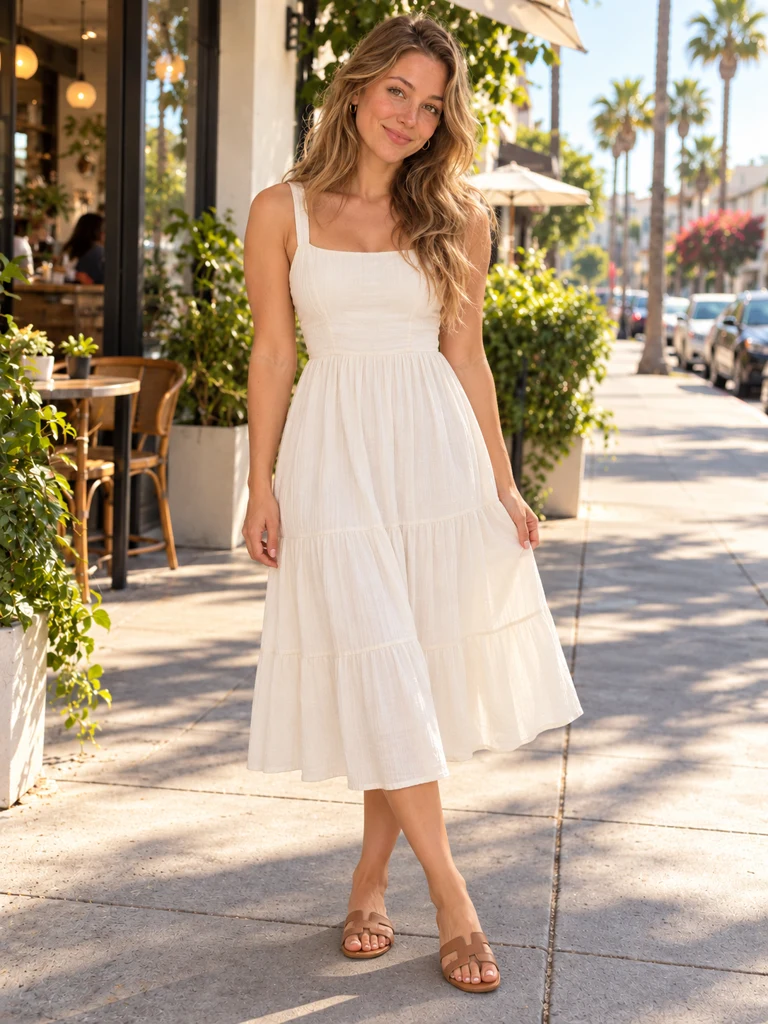
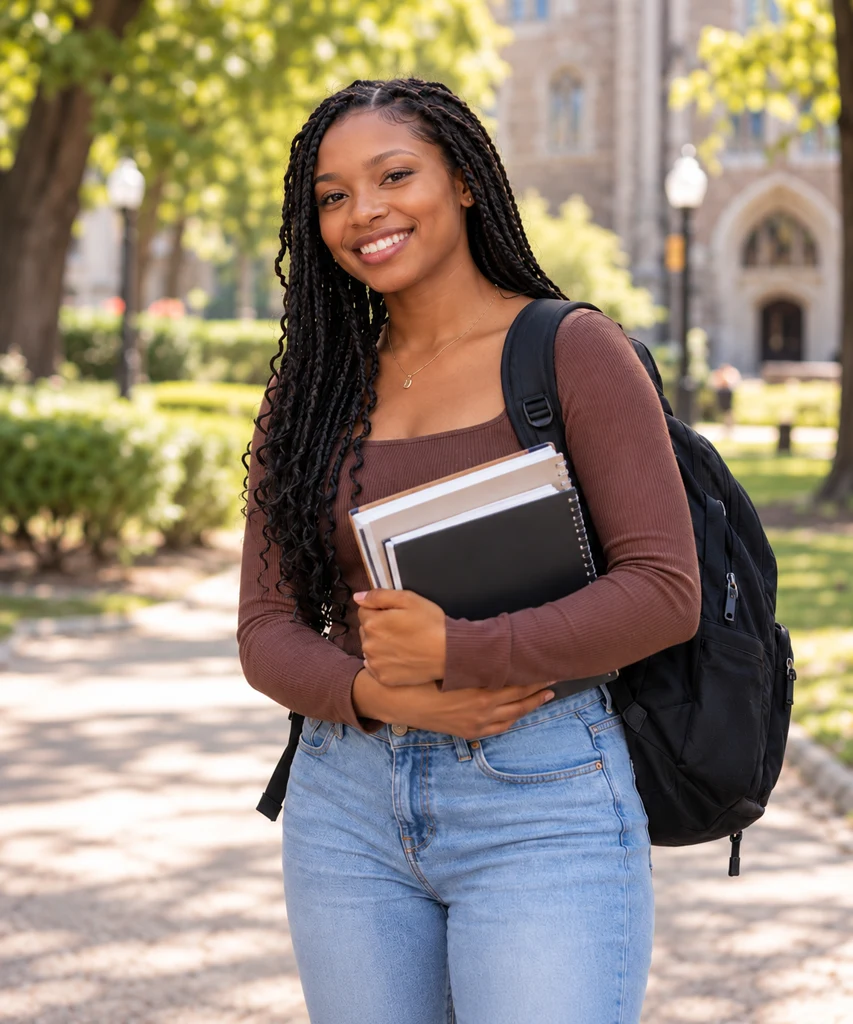
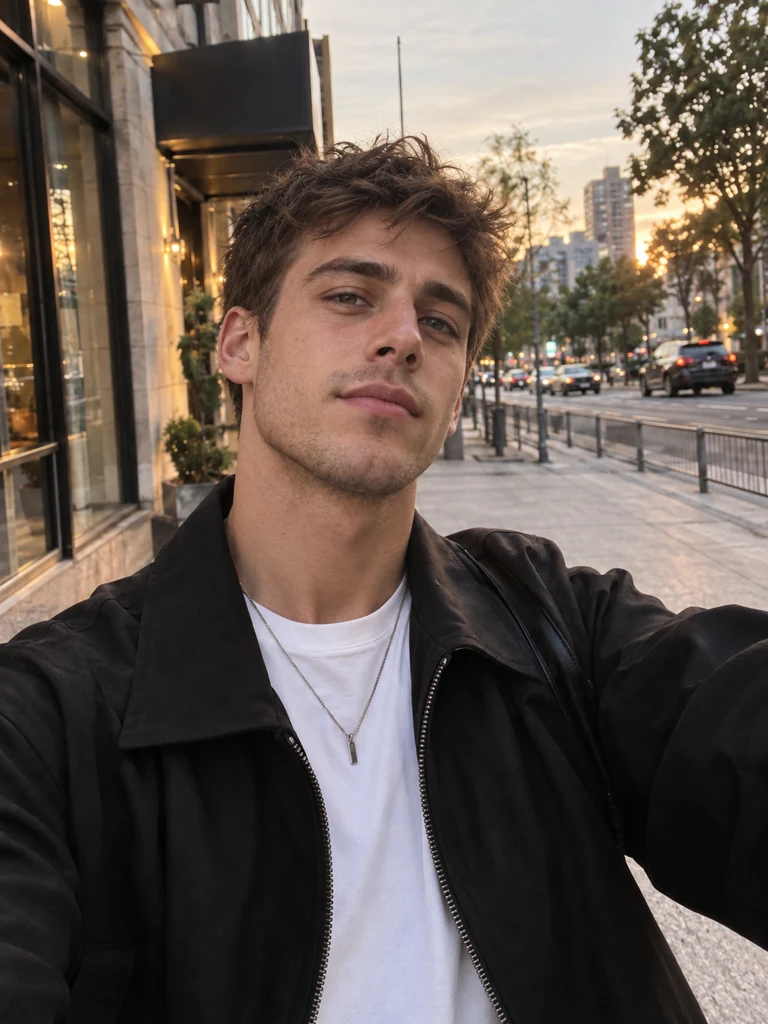
Three photos, three dancers. These are the photos used to create the 14-second AI dance shown here.
- Ready-made choreography
- Follow the Passinho Charme rhythm and movement throughout a 14-second video.
- One dancer or your own trio
- Use one photo for a solo dancer, or three to choose each dancer in a trio.
- Movement set to music
- The dance and audio references guide the timing. Details may vary between videos.
- Music included
- Your finished MP4 includes the soundtrack, ready to watch and share.
The Calcanhar 2 Dance, beat by beat
Six moments. One continuous 14-second dance.
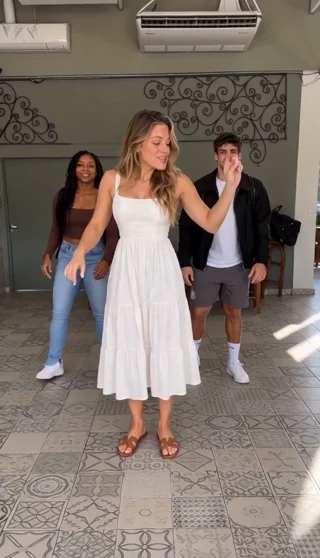
Meet the trio
Three dancers take their starting positions.
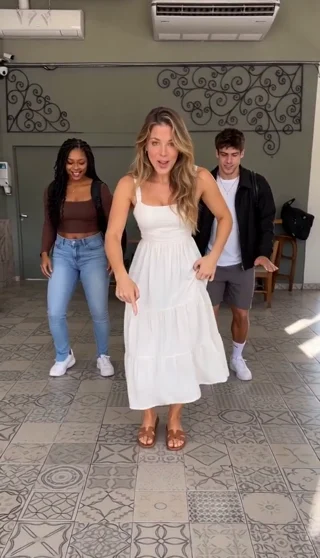
Find the rhythm
The lead brings her hands down as the trio steps together.
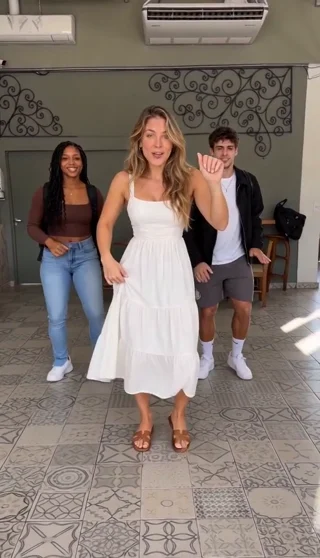
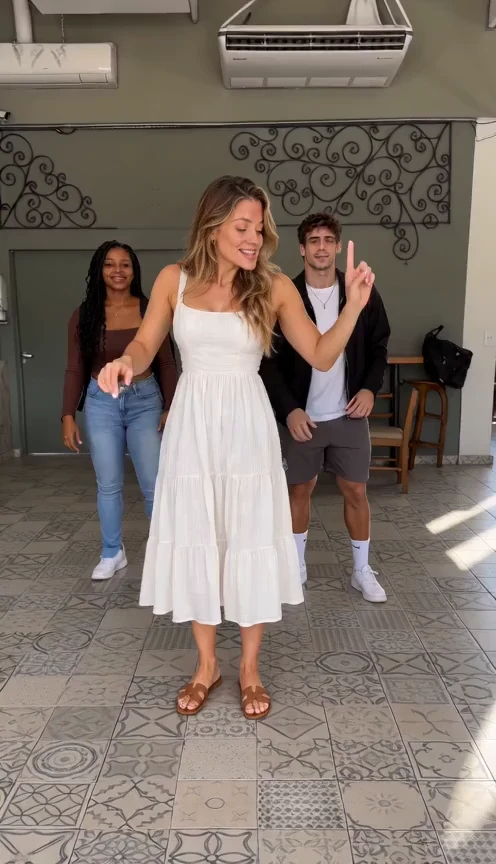
Hands on the beat
The lead raises a hand to mark the next beat.
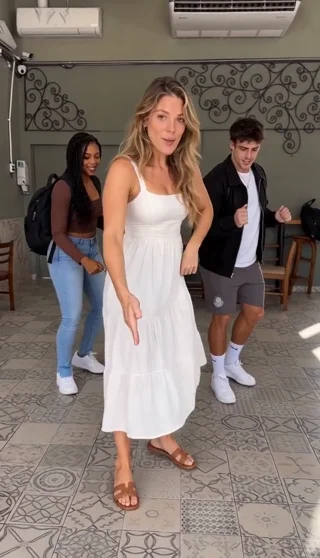
Side-step together
The lead steps to the side, followed by the dancers behind her.
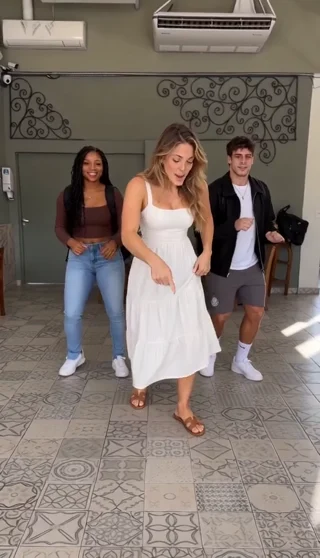
Keep the groove
Small steps and arm movements keep the group in rhythm.
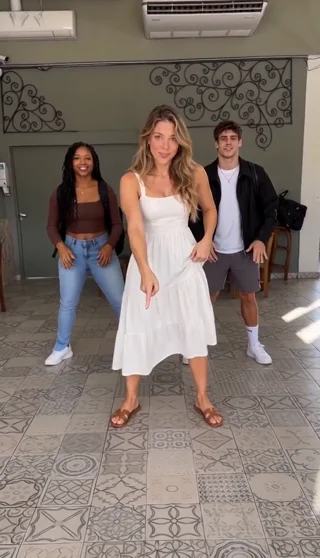
Finish together
The three dancers face forward for the final beat.
How to make a Calcanhar 2 Dance trend video in 3 steps
1. Upload one or three photos
Choose one photo for a solo dancer, or three for a trio. Use a clear, evenly lit image with one visible subject in each photo.
2. Choose quality and format
Check your uploaded photos, then choose Standard 480p or HD 720p and your preferred aspect ratio. The template provides the dance moves and music.
3. Generate your dance video
Create the full 14-second video, or try a 4-second preview when available. Open My creations to check its progress and download the MP4.
What is the Calcanhar 2 Dance trend?
The Calcanhar 2 Dance moves come from Brazil’s Passinho Charme, also called Passo Charme, a social dance rooted in Rio de Janeiro’s Black dance culture. Set to soul and R&B, the routine combines heel taps, backward steps and side-to-side footwork with relaxed arm movements. “Calcanhar” means “heel” in Portuguese, a fitting name for these rhythmic, coordinated steps.
YouTube creators such as @BrownAndrade used AI to bring Passinho Charme to life with all kinds of characters, including football stars and other familiar faces. Viewers loved seeing these unexpected casts perform the same dance and wanted to try it with their own characters. Calcanhar 2 Dance lets you join in by turning one or three photos into your own version.
Make my Calcanhar 2 Dance videoHow much does a Calcanhar 2 Dance video cost?
Full videos start at $9.99. Larger HD packs cost less per video. Standard 480p costs 100 credits; HD 720p costs 200 credits. Both produce the full 14-second dance.
Free preview · 4 seconds
Eligible new accounts can try one free 4-second preview at 480p, subject to availability. Full videos use credits.
Make my Calcanhar 2 Dance videoFull video · 14 seconds
One dancer or a trio, from the first step to the final beat.
- Standard · 480p
- 100 credits
- HD · 720p
- 200 credits
Standard 480p: 100 credits. HD 720p: 200 credits. The same rates apply to one-photo and three-photo videos.
PricingFrequently asked questions
What is the Calcanhar 2 Dance video generator?
It’s an AI tool that turns photos into a short Passinho Charme dance video. Upload one or three photos; the template provides the dance moves, setting and music.
How many photos do I need?
Upload 1 photo for a solo dancer, or 3 photos to choose every dancer in a trio. Two-photo sets are not supported.
What kind of photos work best?
Use a sharp, evenly lit photo with one clearly visible subject. Avoid group photos, covered faces and heavy blur. Upload JPG, PNG or WebP files up to 10 MB each, with each side between 300 and 6000 pixels.
What’s the difference between one-photo and three-photo mode?
One-photo mode uses a single subject as the reference for a solo video. Three-photo mode uses a separate photo for each dancer. The final appearance and movement may vary between videos.
Do I need to write a dance prompt?
No. The generator uses a prepared dance template. You choose your photos, quality and format rather than writing instructions.
Will the video keep the clothing and background from my photo?
Your photo guides the dancer’s appearance. The template replaces the original background with the dance setting. Clothing, hands and other details may change during generation.
Were these three photos used to create the demo?
Yes. The man in a black jacket, the woman in a white dress and the woman holding books are the actual input photos for the AI-generated dance shown on this page. Compare the portraits with the finished 14-second video.
Does the dance video include sound?
Yes. The complete video includes the prepared dance soundtrack. A photo supplies visual reference; it does not clone the subject’s voice.
How long is the video, and what can I download?
The full video is 14 seconds and downloads as an MP4. Choose Standard 480p or HD 720p, with portrait 9:16, landscape 16:9 or square 1:1 output. The opening preview is 4 seconds at 480p when available.
Can I try a free preview?
Eligible new accounts can try one free 4-second preview at 480p, subject to availability. Upload one or three photos, just as you would for a full video.
How much does a full dance video cost?
Standard 480p costs 100 credits and HD 720p costs 200 credits. Both photo modes cost the same. Review the credit cost shown before generating.
Where can I find my generated video?
Open My creations to check progress, watch your video and download it. Processing time depends on the queue. Check your existing task before submitting another request.
What happens if generation fails?
Reserved credits are returned when a task is confirmed as failed or canceled. A confirmed failed free preview becomes available again. Queued and processing tasks are still active.
Can I upload someone else’s photo?
Only use a photo with permission. Get consent before uploading or sharing someone else’s likeness, and label AI remixes clearly rather than presenting them as real footage.
Is this tool affiliated with Brown Andrade?
No. Calcanhar 2 Dance is an independent AI tool inspired by @BrownAndrade’s dance videos. Generated videos do not imply his endorsement or show a real performance by the people depicted.
Your Calcanhar 2 Dance video starts with one or three photos
Choose your dancers and make your own Passinho Charme video.